25 Employee Time Tracking Statistics: The State of Time Tracking in 2026

The workplace has moved beyond the physical punch clock into a more complex digital world. However, timekeeping practices at many organizations haven't kept pace, and the cracks are showing.
Most knowledge workers now operate across hybrid and remote workplaces, rely on asynchronous communication, and collaborate across multiple time zones. In this environment, manual clock-ins and spreadsheet-based time tracking don’t cut it.
This report on the state of time tracking in 2026 compiles the 25 most important employee time tracking statistics. It examines critical factors like time inflation, payroll inaccuracies, and compliance risks, as well as how remote work affects time and productivity.
Time Theft, Timesheet Falsification, and Manual Clock-In Flaws
- 24% of workers overreport or manipulate hours. Time theft is nothing new, and technology hasn’t stopped it from happening in the modern workplace. Nearly a quarter of employees admit to overreporting hours on timecards, extending break times, or asking colleagues to falsify their timecards. (Source)
- 48% exaggerate their workload. It’s easy to fill a calendar to feign “being busy.” Whether it be to justify time theft or avoid taking on additional work, nearly half of knowledge workers admit to exaggerating their workload. (Source)
- 4.5 fraudulent hours per worker per week. Among workers who admit to time theft, the average is 4.5 fraudulent hours per week. This creates over 9.1 billion fraudulently reported working hours annually in the US alone. (Source)
- 54% complete personal tasks on the clock. Over half of employees admit to handling personal errands and tasks while getting paid by their employers. Household chores like cooking, cleaning, and laundry are the most frequent. Many employers can't accurately track time spent on real work vs. personal tasks. (Source)
- 7% explicitly report more hours than actually worked. While nearly half of workers exaggerate their workload, far fewer explicitly misreport hours worked. These aren’t harmless mistakes, but outright stealing time on hourly timecards. (Source)
- Gen Z buddy punches more than 1.5x the overall rate. Buddy punching is when an employee punches in for someone who isn’t at work. Gen Z is much more likely to engage in buddy punching than the overall population (41% vs. 25%). Half don’t see anything wrong with it. (Source)
- 19% take unauthorized long breaks. Taking longer-than-reported breaks is another fairly common form of time theft, with nearly one-fifth of employees regularly taking longer breaks than permitted. In addition, 11% admit to sleeping during scheduled work hours. (Source)
- 79% of workers believe their managers thoroughly review their timecards. This may explain why fewer employees explicitly report more hours than they actually worked. However, this doesn’t stop more minor time-theft activities like extending breaks, buddy punching, or doing personal tasks during work hours. (Source)
→ Modge’s lightweight time tracking desktop agent helps prevent time theft with automated idle time detection and suspicious activity flags.
Payroll Errors, Financial Leakage, and Administrative Costs
- Human error rates in timecard preparation range from 1% to 8%. Errors, whether from mistakes or time theft, occur on enough timecards to have a negative impact. 10.5% of payroll processing time is spent correcting timecard errors. (Source)
- 80% baseline payroll accuracy rate. The average company operates with only 80% payroll accuracy. For the 20% with errors, each correction costs an average of $291 to fix. (Source)
- Incorrect time punches cost $78,700 per 1,000 employees per year. Missing, late, or incorrect time punches are major unnecessary expenses. These costs come from both direct overpayments and administrative processing hours spent fixing mistakes. (Source)
- 19 hours wasted per week. Many knowledge workers spend time not doing actual work, but on the admin tasks needed to get work done. This includes 9 hours per week searching for information, 6 hours switching between collaboration platforms, and 4 hours deciding which tools to use. (Source)
- $259 million in recovered back wages. Timesheet and payroll errors hurt employees too, but regulatory standards are designed to help. In fiscal year 2025, the US Department of Labor recovered $259+ million in back wages for about 177,000 workers. (Source)
→ Modge’s one-click pay period approvals and auto-populated timesheets help reduce payroll errors and admin costs.

Hours Worked, Meeting Hours, and After-Hours Overwork
- US weekly hours average 42.9. Average full-time weekly work hours in the US still exceed the standard 40 hours per week, but declined from 44.1 hours in 2019 to 42.9 hours in 2024. Employee burnout rates escalate sharply when work hours exceed 45 per week. (Source)
- 2 in 5 workers log off-hours work. 40% of desk workers regularly work after normal hours. More than 50% say they do so because they feel pressured to, not because they choose to. (Source)
- 4 hours of daily focus time. Knowledge workers report that four hours per day is their optimal limit for uninterrupted focus. The human brain clearly has a limit for deep work and focus. A fully productive day can be structured to allow for four hours of uninterrupted focus alongside the necessary meetings and administrative tasks. (Source)
- More than 2 hours of daily meetings hurts focus. Employees cite two hours as the “tipping point” for too much meeting time. If meetings take up more than two hours in a day, they are twice as likely to not have enough time to focus on important work. (Source)
- 2.1x higher stress from after-hours pressure. A culture of constant after-hours connectivity hurts overall productivity and morale. Employees forced into constant evening connectivity experience 20% lower productivity during core working hours and suffer 2.1x higher work-related stress. (Source)
- Pressure to work after hours doubles burnout rates. In addition to added stress, after-hours work reduces job satisfaction by 1.7x and leads to 2x higher burnout rates than those who don’t feel pressured to work after hours. (Source)
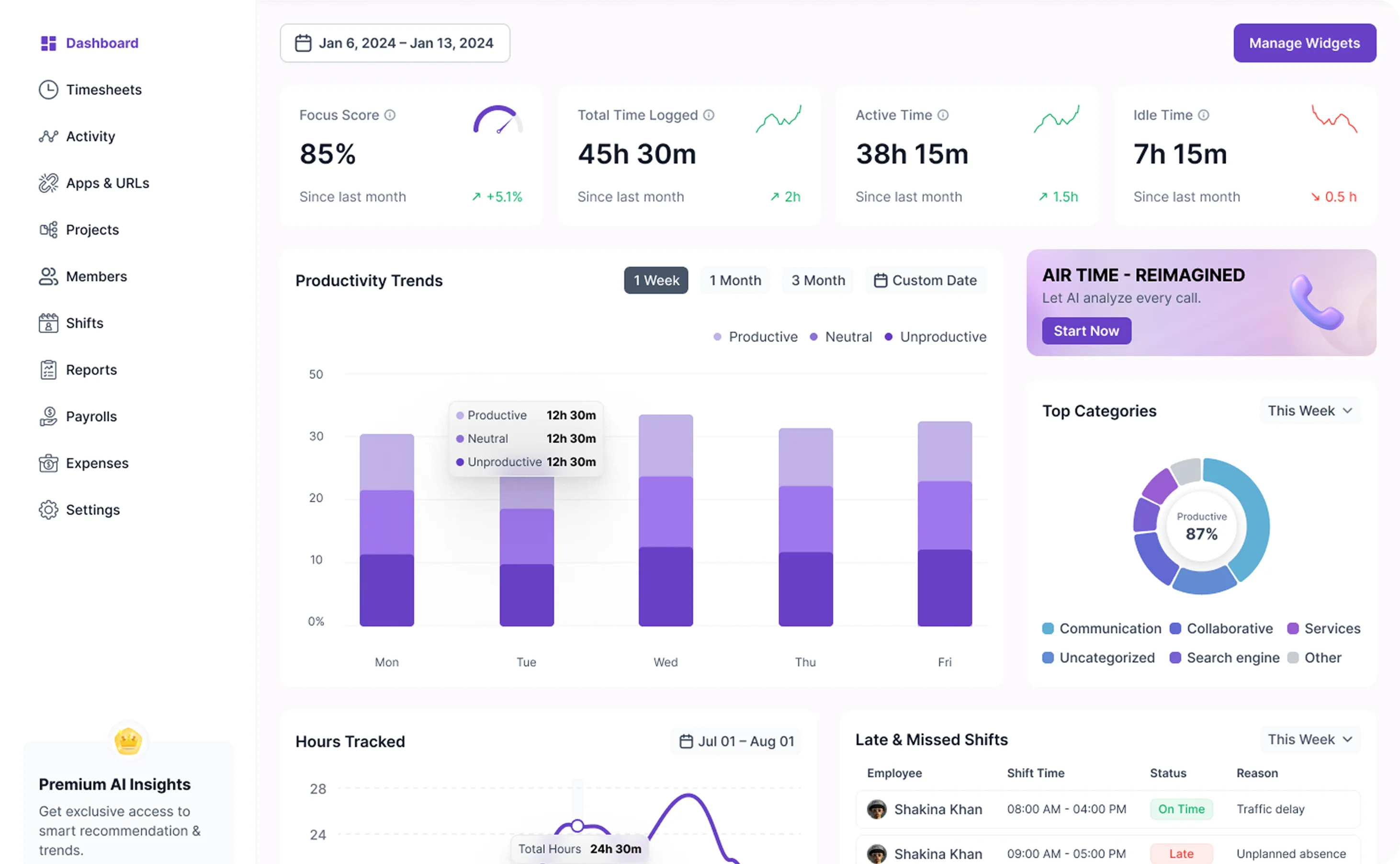
→ Modge’s focus score tracking and burnout risk monitor help detect and prevent employee burnout.
Remote / Hybrid Work and Productivity
- 28% of paid workdays are remote. The COVID-era shift to remote work became permanent for many. Work-from-home days account for roughly 28% of paid workdays in the US. Remote workers save an average of 65 minutes per day in commuting and preparation compared to in-office workers. (Source)
- 59% of knowledge workers have adopted the hybrid model. More than half of knowledge workers split time between remote work and the office, or at least have the option to. This is now an expectation in many roles, and most companies are implementing permanent policies to accommodate at least partial remote work. (Source)
- In-office workers are 32% more likely to feel micromanaged. While there is a trend to return to the office, it could stem from a need to micromanage employees. Remote and hybrid workers tend to feel more trusted and less micromanaged by their employers. (Source)
- Remote work is linked to higher productivity. For every percentage-point increase in an industry's share of remote workers, its annual total factor productivity (a measure of how labor and capital are converted into output) rose by 0.08 percentage points. (Source)
- Hybrid and remote workers work 2-3% less. However, this reduction comes without sacrificing overall productivity. This suggests that employers can actually get more productivity in fewer hours by offering remote work. (Source)
- Remote workers are 32% less likely to feel connected to their teammates. While they report higher productivity and trust, remote workers are less likely to feel connected to their teammates than in-office workers. While this isn’t a shock, it shows companies can do more to help remote workers feel connected to their colleagues and organizations. (Source)
→ Modge’s role-based app classification and optionally blurred screenshots reduce the need to micromanage while still effectively tracking time and productivity.
A Modern Employee Time Tracking Solution
Traditional, manual time-tracking tools create mutual frustration for managers and employees. Managers spend too much time correcting timesheets and missing logs, while employees feel micromanaged. These manual timers also fail to show what is actually happening during logged hours.
Modge modernizes employee time tracking by eliminating manual time tracking altogether. Instead, the Modge desktop agent installs in under two minutes and automatically tracks true hours worked. It captures not only work sessions, but also application activity, tool switching, and deep focus vs. idle distraction.In addition, employers can set up role-based app classification, so teams that use different apps aren’t all treated the same. Modge delivers audit-ready timesheets and shows whether or not an employee's time is truly spent on productive and focused tasks, all without feeling invasive or requiring employees to do manual clock-ins.
Ready to evolve your employee time tracking for the modern era? Try Modge free for 14 days.
Table of contents


Ready to see Modge in action?
Start your free 14-day trial or book a personalized demo with our team today.