
4.8 (9,847 Reviews)
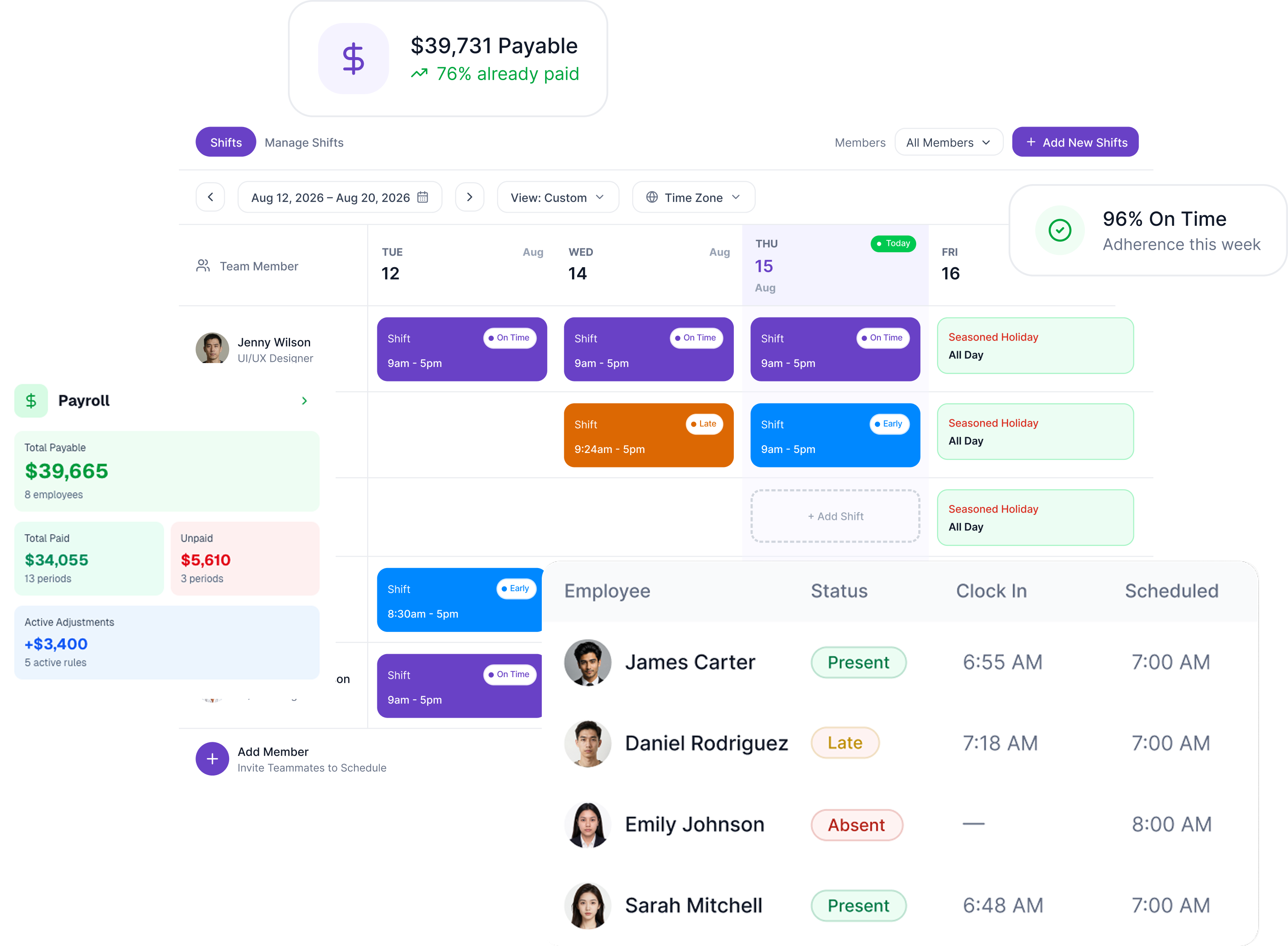
The four workflows that usually live in four different tools, on one platform. Build the schedule, track who showed up, manage the leave requests, approve the timesheet, export to payroll. Same data the whole way through. No spreadsheets, no Slack DMs, no double entry.
Free 14-day trial
No credit card required
Cancel anytime


.webp)
.webp)
.avif)
.avif)
.webp)
.webp)
.webp)
.avif)
.avif)
.webp)
The data flows in one direction. From the schedule, through the timesheet, into the payroll export.
.png)
.avif)
Build weekly, biweekly, or one-time shift patterns. Assign to a single person or a whole team. Duplicate templates for common rotations and edit only the exceptions.
.avif)
Tracked sessions are compared against scheduled shifts the moment they happen. On time, late, or no-show - Modge decides based on grace windows you set per organization or per user. No manual roll calls.

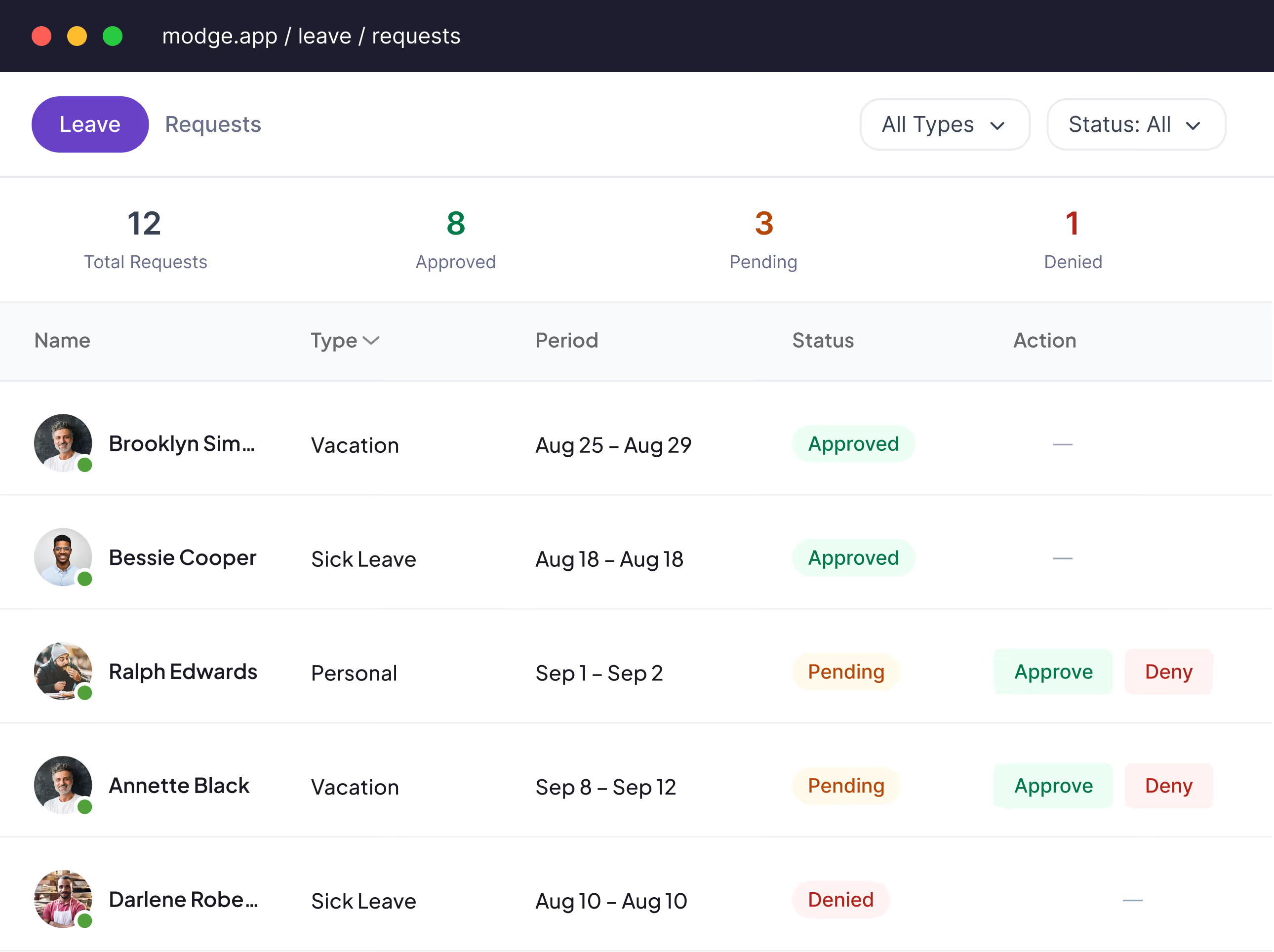
Sick days, vacation, personal leave, jury duty - define the policies you need. Auto-assign new hires to default policies. Approved paid leave inserts the hours into the matching timesheet and pay period for you.
.avif)
Tracked sessions roll into a weekly or biweekly timesheet your team submits and you approve in one click. Pay periods reconcile against approved hours, paid leave, and the bill rate rules you've set per member or project.
.webp)
Create shifts with precise time zones, repeating patterns, and team assignments. Set it once and Modge handles the rest — weekly, daily, or custom rotations.
.avif)
.avif)
The Detailed Report shows exactly what happened — who clocked in, when, and their adherence status. No manual tracking, no badge readers required.
Modge calculates gross pay from tracked hours and rates, applies recurring adjustments (bonuses, deductions, reimbursements), and gives you a net amount ready to export. Every payment is tracked with transaction IDs for a full audit trail.
Export payroll to:
.avif)
Set up the schedule
Build shift patterns once and assign to people or teams. Modge knows who's expected to be working when.
Employees work, the agent tracks
The desktop agent records sessions automatically. Attendance, adherence, and timesheet entries populate in the background.
Review and approve at the end of the period
Approve timesheets, sign off pay periods, export the payroll file. The same data covered shifts, attendance, leave, and pay.
Weekly, biweekly, and one-time shift patterns with per-person and per-team assignment.
Tracked sessions matched against scheduled shifts to compute on-time, late, or absent in real time.
Custom leave policies, auto-assignment for new hires, paid leave that flows straight into timesheets.
Every shift gets a percentage based on actual time worked versus scheduled time. Aggregate by person, team, or across the whole organization.
Late arrival, missed shift, leave balance running low. Notifications fire the moment the threshold is hit.
Set arrival and departure grace windows per organization or per user. The "five-minute rule" is configurable.
A dedicated overtime view that flags sessions exceeding the scheduled shift length, so overtime gets paid (or capped) on purpose. Currently in development; the underlying tracked-vs-scheduled data is already being captured.
CSV exports in three formats (generic, Wise, PayPal) plus PDF. Pay periods reconcile against approved hours and paid leave.
Attendance, adherence, leave, hour totals - all exportable to CSV or PDF in one click.
On-time rate, average across customers
Manager time saved per week on scheduling and payroll
Faster payroll close cycle
Yes. Build weekly, biweekly, or one-time patterns, save them as templates, and reuse them across teams. Edit the exceptions instead of rebuilding from scratch.
The desktop agent records the actual session. Modge compares it against the scheduled shift in real time and assigns on-time, late, or absent based on grace windows you set per organization or per user.
Yes. When a paid leave request is approved, the hours insert into the matching timesheet and pay period automatically. Adherence and payroll both reflect the approved leave with no double entry.
Yes. Employees submit leave requests directly. Managers approve or deny with a comment. Every step is audited.
CSV in three formats - generic, Wise, and PayPal - plus a printable PDF. Pay periods reconcile against approved hours, paid leave, and the bill rate rules you've set per member or project.
Yes. Late arrival and missed shift notifications fire automatically based on the grace windows you set. Notifications can be sent in-app, by email, or both.
The desktop agent runs on macOS and Windows. For field-only teams without computers, you can manage their schedules, leave, and manual time entries from the dashboard, but automatic time tracking requires a desktop machine. Mobile is on the roadmap.
Yes. Modge supports multi-manager assignments. Permissions are role-scoped so each manager sees only the teams they oversee.
Free for 14 days. Full feature access. No credit card. Two-minute install on macOS or Windows.