
.svg)


4.9 (Verified Reviews)
Employee Monitoring that drives better decisions.
Modge employee monitoring provides clear signals. Active sessions, project time, app and website usage, focus patterns, and attendance, all in one dashboard.
.png)
4.9 (Verified Reviews)
Modge employee monitoring provides clear signals. Active sessions, project time, app and website usage, focus patterns, and attendance, all in one dashboard.
.webp)
.webp)
.avif)
.avif)
.avif)
.webp)
.png)
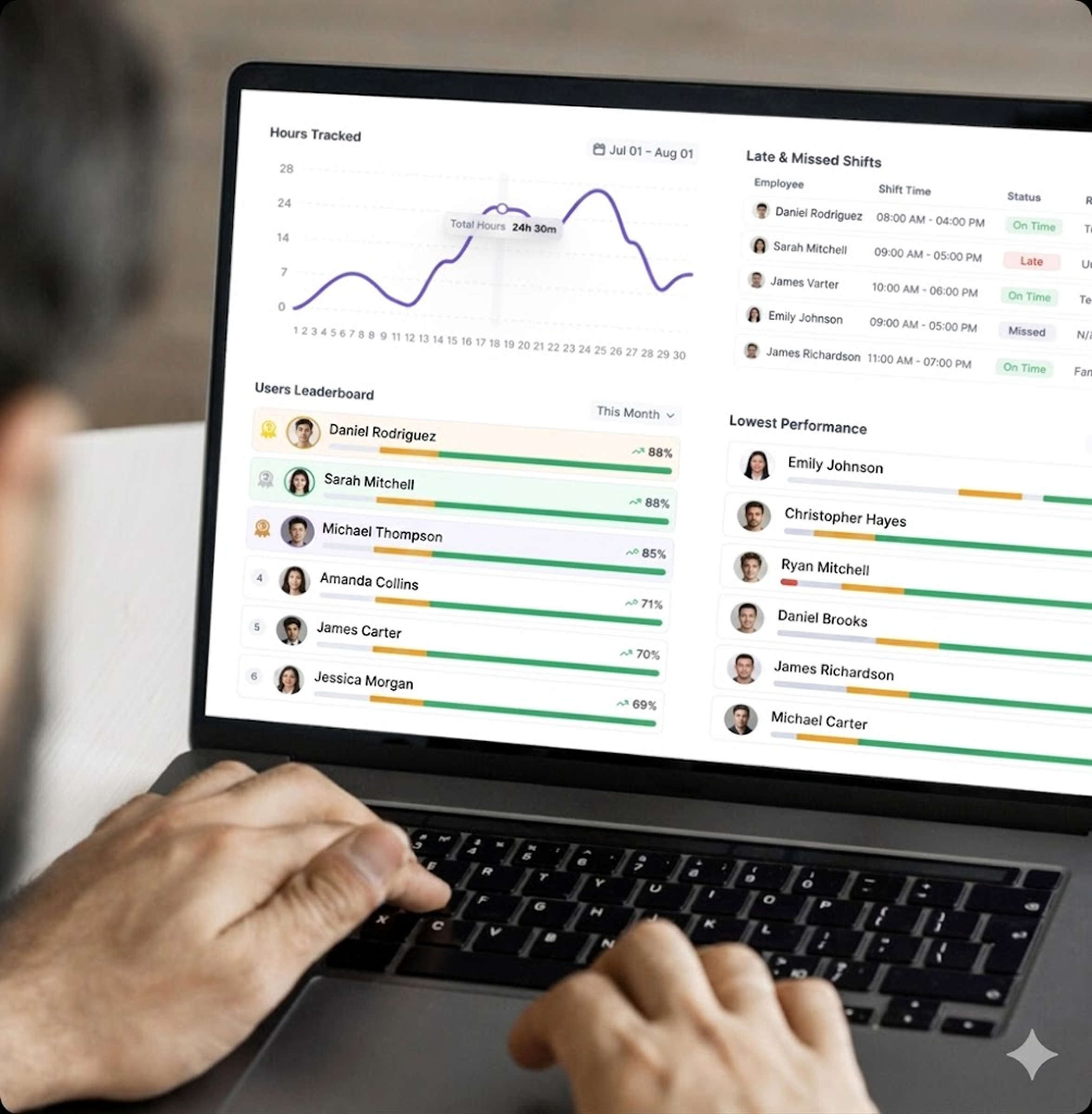
Modge is employee monitoring built around the workforce signals a manager actually needs. When sessions started. What apps and websites were used. Where idle time crept in. How the day scored. All of it rolls into the dashboards, timesheets, and attendance reports that drive real operational decisions. The team sees the same view their manager sees, so the conversation moves from "what happened?" to "what do we do next?"
It’s more than monitoring; it’s a

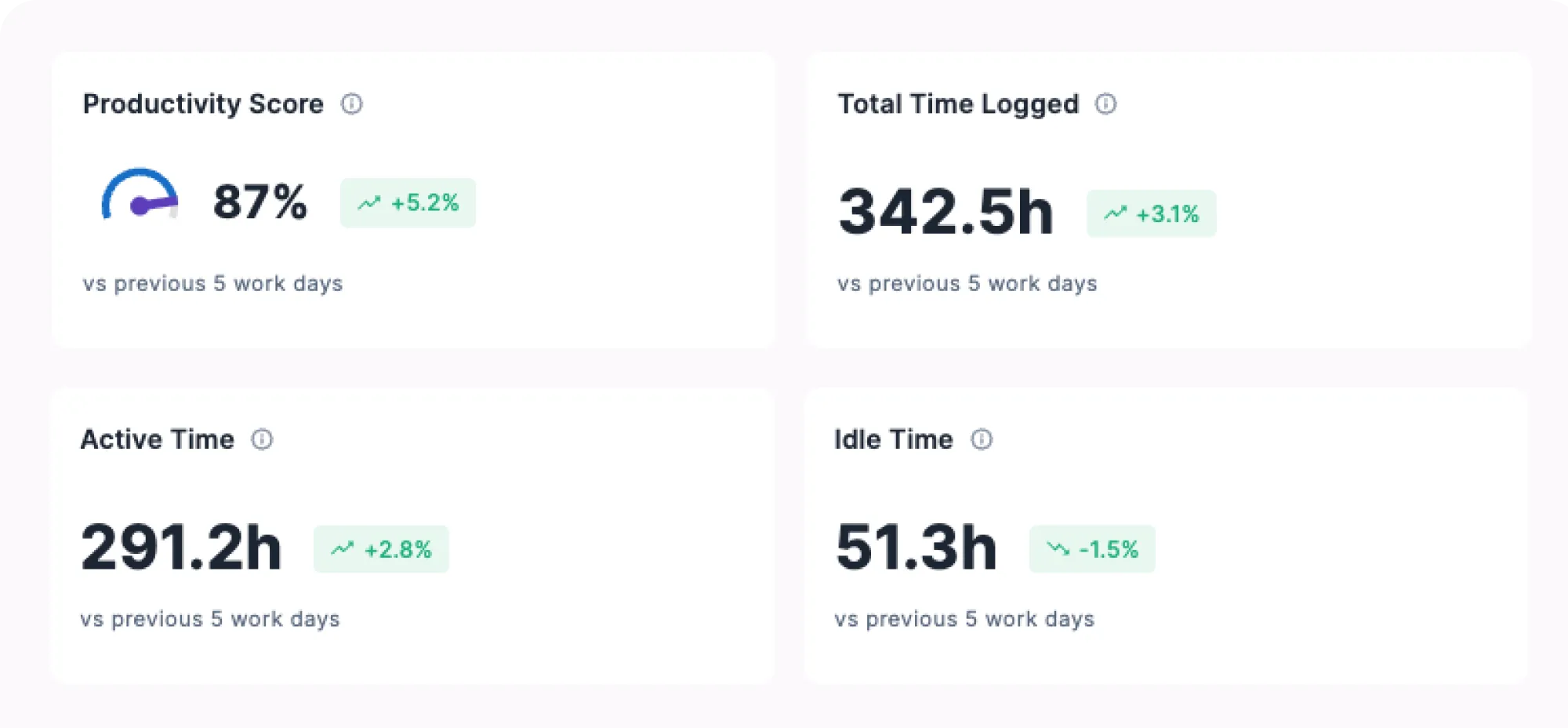
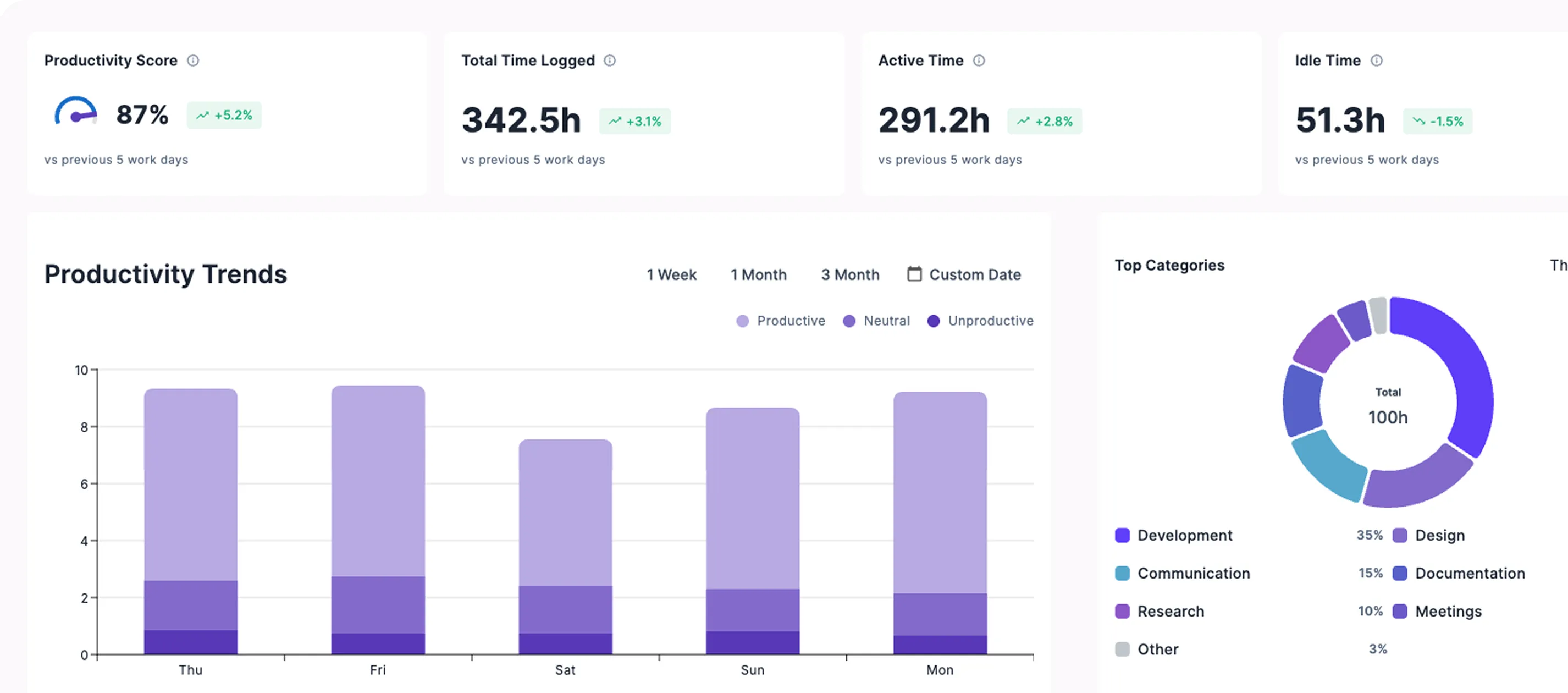
When the productivity number changes, drill into the timeline, the apps, and the patterns that drove it.
The desktop agent installs in about two minutes on macOS or Windows. From the first session onward it captures time, apps, websites, and (only if you enable them) screenshots.
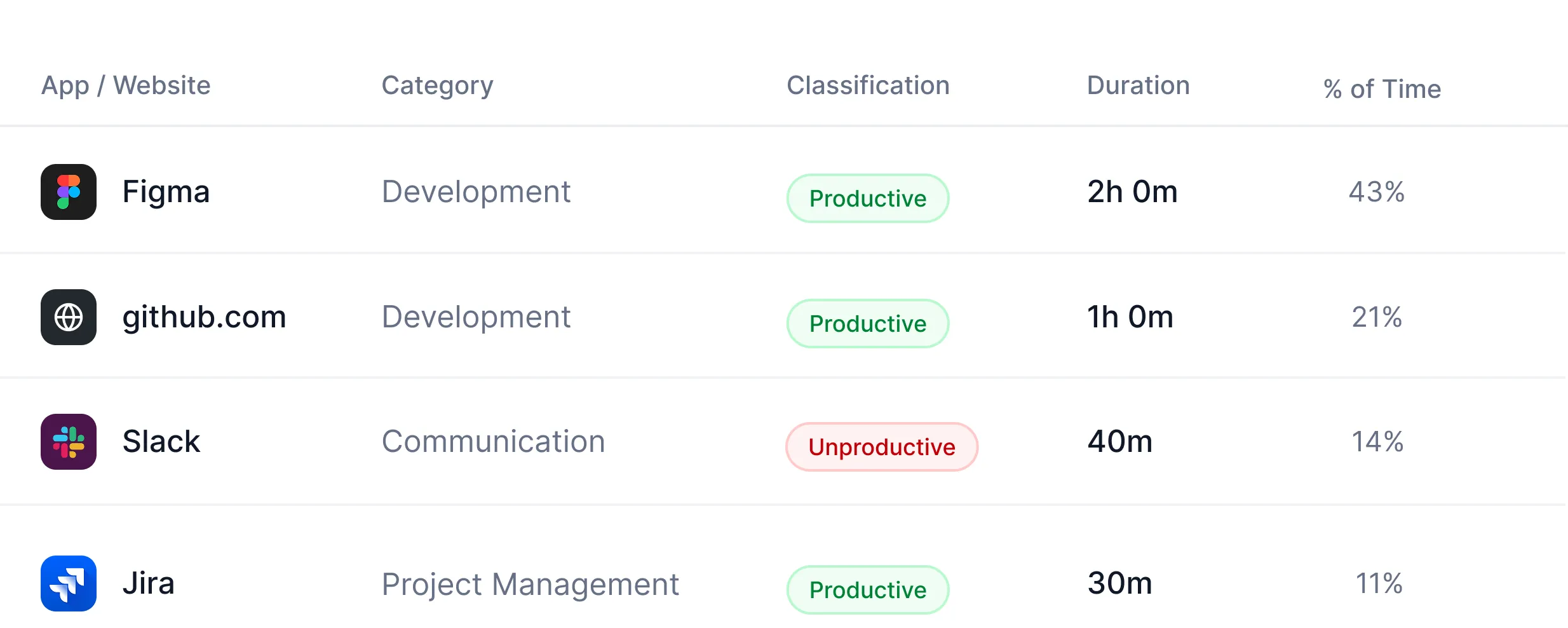
Apps and websites are classified - productive, neutral, or unproductive - using rules you set per organization or per job title. Activity rolls into a productivity score, a timeline, and adherence reports.
Managers see signals worth acting on: idle streaks, missed shifts, burnout patterns, suspicious activity. Most teams have their first "we need to fix this" conversation inside the first week.
.svg)
Stop chasing the team for status updates. Sessions, apps, and websites are captured automatically by the desktop agent, so the data is ready before anyone has to ask.

Catch problems while they're still fixable. See who's working right now, on which project, in which app, across every time zone, on one screen.
.svg)
Make 1:1s and reviews about facts, not feelings. A single score per person, team, or project, aggregated by day, week, or month, so trends are obvious in 30 seconds.
.svg)
Find the hour the day went sideways. Each workday renders as colored blocks (productive, neutral, unproductive, idle), so the whole picture is one scroll wide.
.svg)
Pay for work, not for abandoned screens. Quiet sessions are detected and flagged automatically, so tracked hours and client invoices reflect actual work.
.svg)
Defensible proof of work without breaking team trust. Off by default; opt in per team or per person, with configurable intervals and configurable blur.
.svg)
Mouse jigglers. Scripted clicks. Login hours that don't match anyone's calendar. Surfaced before they show up on an invoice.
.svg)
Role-scoped access from the database. Each manager sees only what they're allowed to see.
.svg)
Win any payroll dispute. Survive any audit. Every manual time edit, every approval, and every classification override is logged with who, when, what, and why.
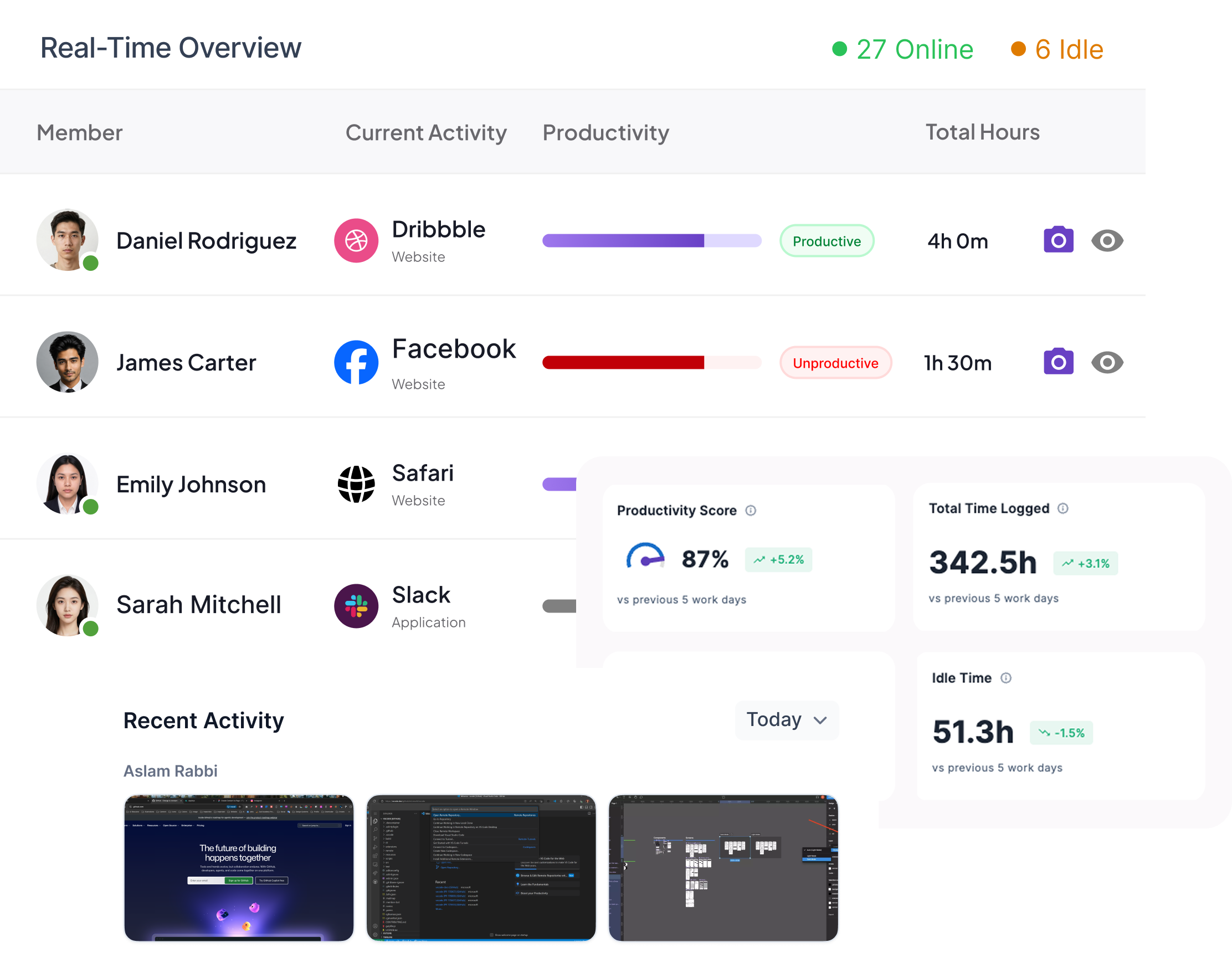
The live view a manager keeps open in a tab all day.
.svg)
Live list of every team member who's currently working: their project, their active app, and the productivity score for the session in progress.
See who's deeply engaged, who's coasting, and who's stuck. Sessions are scored as they happen - not after the fact.
Optional screenshot capture with configurable intervals and configurable blur. Off by default; opt-in per team or per person.
When the productivity number changes, drill into the timeline, the apps, and the patterns that drove it.
Every session is plotted as a colored block on the day. Productive, neutral, unproductive, idle. Hover for app & url, project, and duration.
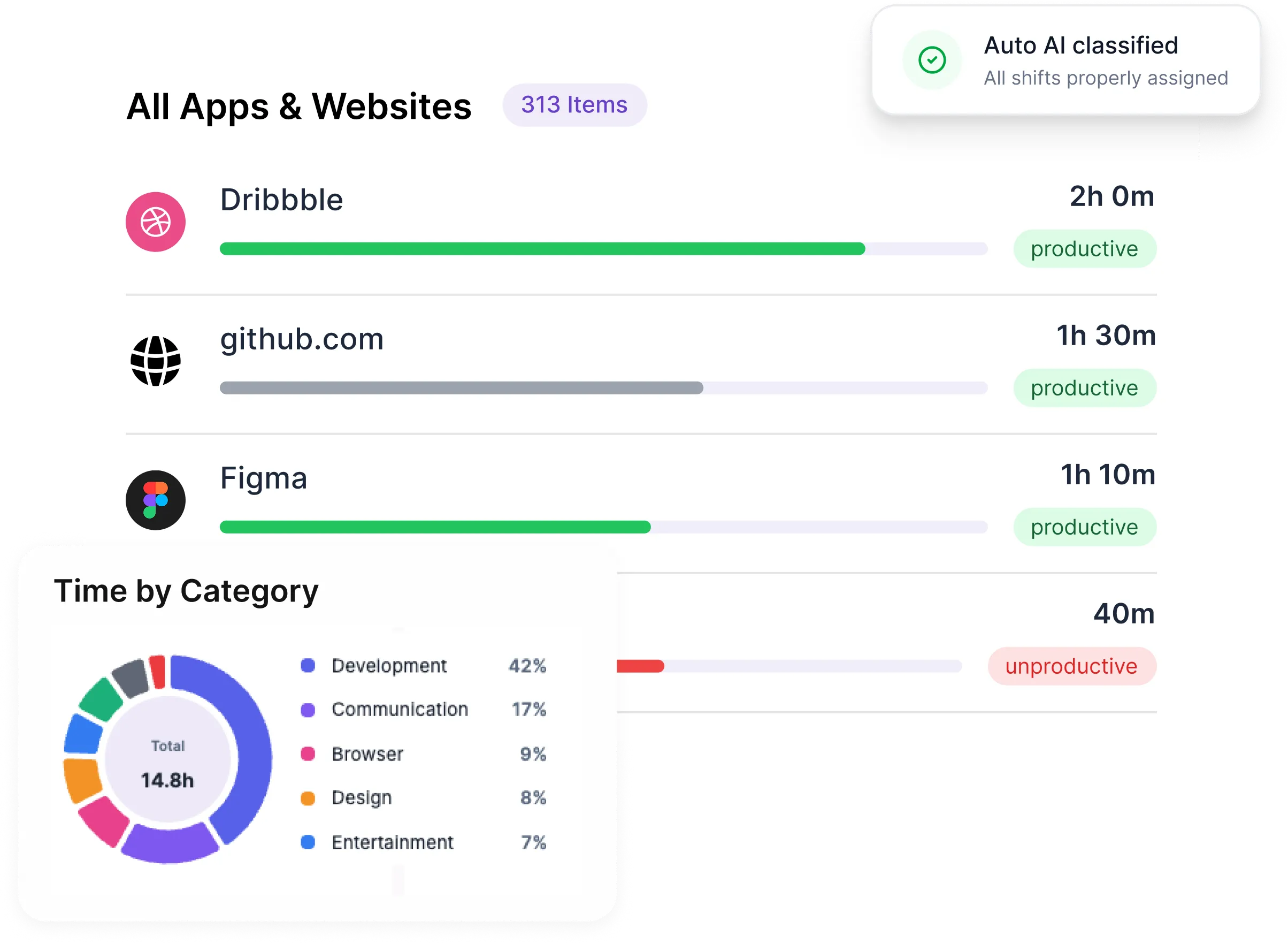
Every app and website is classified using rules you control. Override at the organization level, then again per job title - the same app can be productive for one role and neutral for another.
Burnout signals, frequent app switching, suspicious activity - surfaced as soon as the patterns hit your configured thresholds. (Future: AI-generated recommendations.)
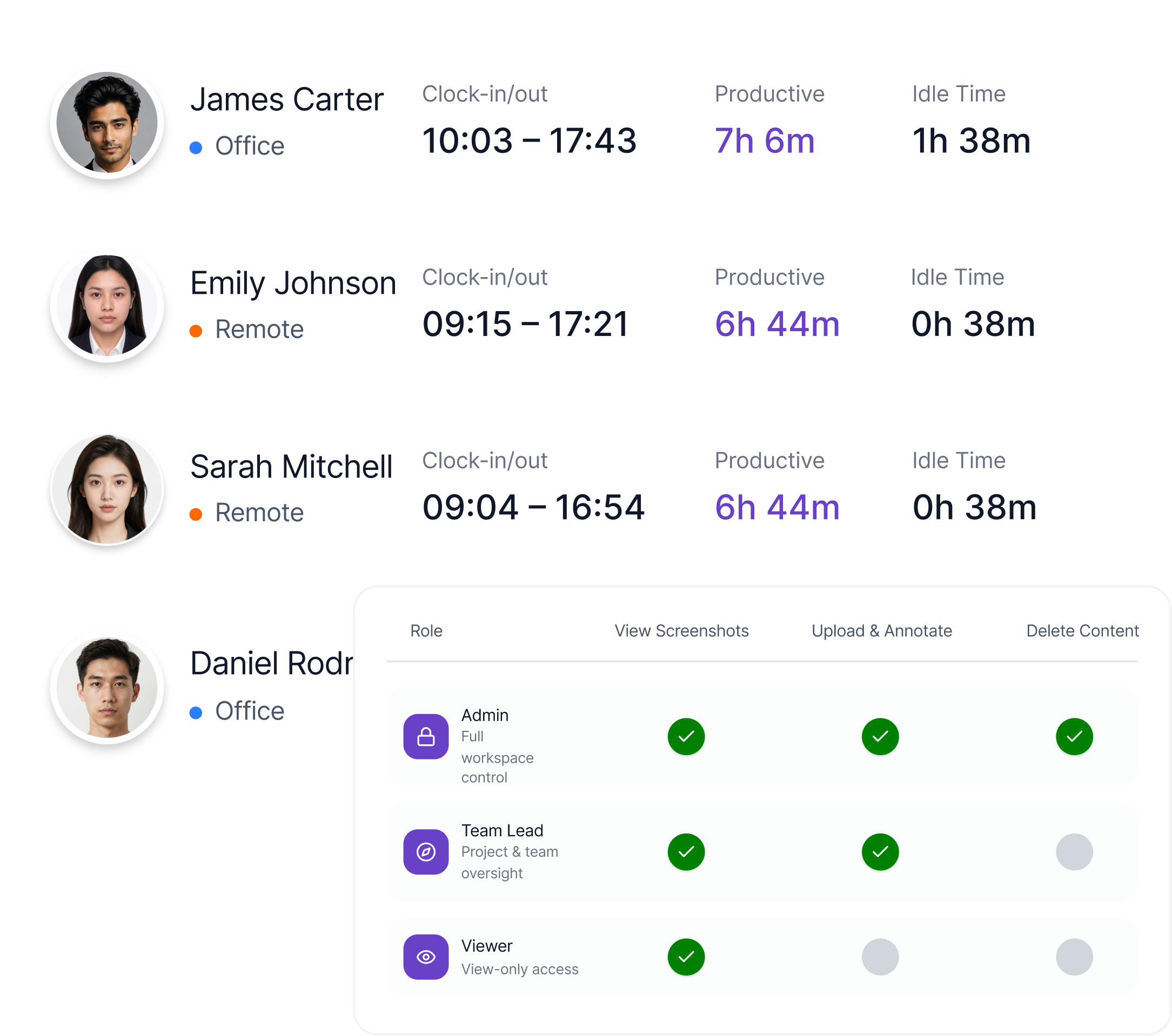
Centralized governance, role-scoped access, and the policy controls a multi-team operation actually needs.
Automatic clock-in/out with schedule adherence — late arrivals and overtime flagged without manual tracking.
Compare productivity, focus time, and adherence across teams or departments. Identify where the working culture is healthy and where it isn't.
Role-scoped from the database. Each manager sees only their teams. Owners control who can edit policies, override classifications, and view raw activity.
Built for every team that values both performance and trust.
.svg)
Real visibility across time zones without status-update theater.
.svg)
Per-team monitoring policies. Profitability per retainer. Billable proof for clients.

Protect engineering focus, surface context-switching, and keep delivery cycles honest.
.svg)
Attendance, adherence, leave, and payroll on one source of truth.
.svg)
Multi-team, multi-manager, role-scoped from the database up.

.png)

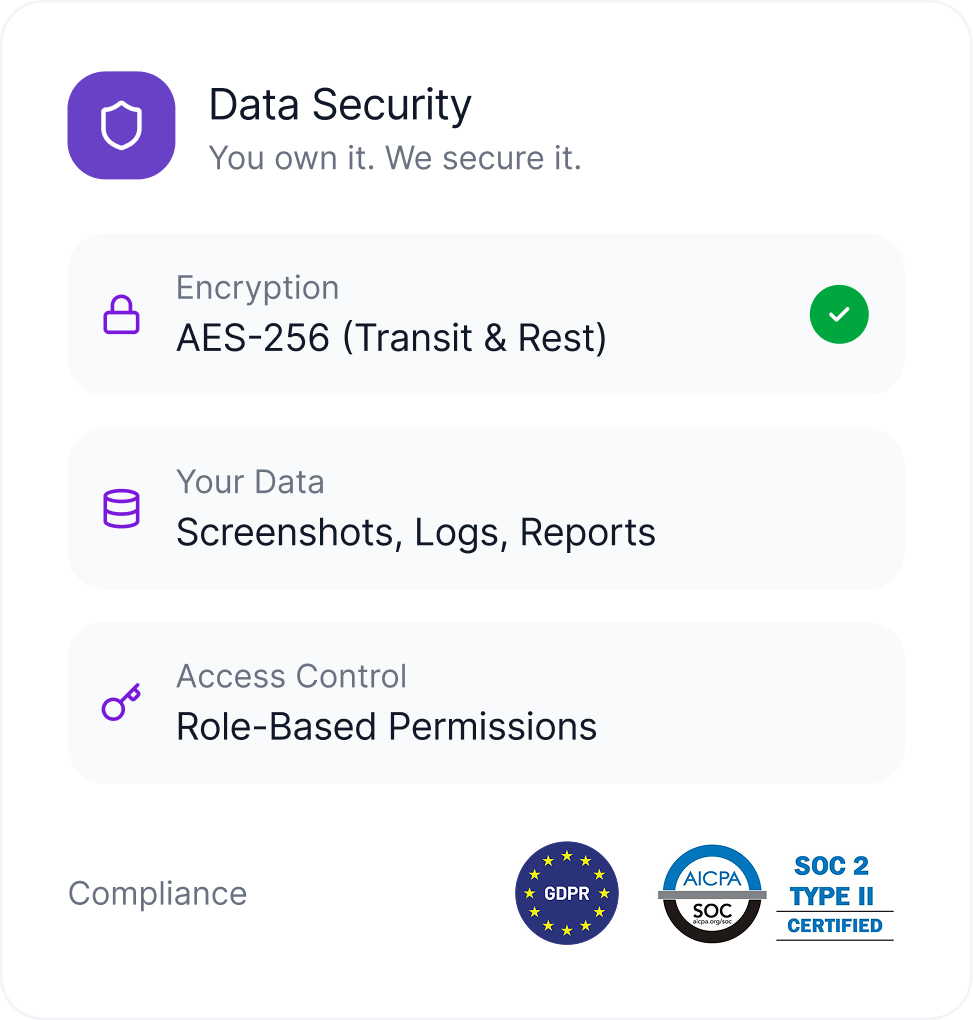
Modge is built on enterprise-grade security and certified to ISO 9001, HIPAA, PCI DSS, and SOC 2 Type II. The list below is the product specification - not just a privacy promise.
.webp)
.svg)
.svg)
.svg)
.svg)

.svg)
.svg)
.svg)
.svg)
.svg)
ISO 9001 Certified

HIPAA Compliant

PCI DSS Compliant
.svg)
SOC 2 Type II Certified

.webp)
No. Modge captures the workforce signals a manager needs - sessions, projects, apps, websites, idle time, productivity scores. It does not log keystrokes, read files, capture mouse positions, or follow your team outside of work sessions. Screenshots are completely optional and off by default.
Active session start/end times, the projects assigned to those sessions, the apps and websites used, idle gaps, and (only if you enable them) screenshots at the interval you configure. That's the full list.
No. We do not capture keystrokes, ever. The product was built without keystroke logging on purpose, and we have no plans to add it.
No. We don't capture mouse coordinates, click positions, or movement paths. Modge can detect that a session has gone idle (no input for longer than your configured threshold) but we never record what was clicked or where the cursor went.
No. Screenshots are off by default. You can enable them per team or per individual, set the capture interval to match your policy, and toggle blur at the organization level or per person. Many of our customers run Modge for years without ever turning screenshots on.
Yes. Employees have access to their own dashboard with the same activity, scores, and timesheets their manager sees. We've found that visibility for the person doing the work drives more behavior change than visibility for the manager alone.
Modge is GDPR-compliant and used by companies across the EU, UK, North America, and APAC. Local employment law varies - most jurisdictions require employees to be notified that monitoring is in place. We provide template notification language to help. Talk to your local employment counsel for specifics.
Your data is exportable at any time during the subscription. After cancellation, your account stays read-only for 30 days for export. After that, your data is removed from our systems.
Yes. The same agent runs on both. Linux and mobile are on the roadmap.
Yes. Monitoring policies are set per organization, per team, or per individual. The agent only collects what your policy allows.
The agent only captures activity during active work sessions, which the user starts and stops. There's no background tracking when the agent isn't running. Many teams set the agent to run only during configured working hours.
ISO 27001, HIPAA, PCI DSS, and SOC 2 Type II. Annual third-party penetration testing and security audits. Encryption at rest with AES-256 and in transit with TLS 1.3.
Free for 14 days. Full feature access. Two-minute install on macOS or Windows.
.png)
.svg)
Track productivity, app usage, attendance, screenshots - all without breaking your stack or losing the trust of your team.


