Modge captures the screen during tracked sessions and ties every image to the matching project, person, and timestamp. Hand clients verifiable proof, settle billing disputes in minutes, and review the day with the same visual record your team sees.
Free 14-day trial
No credit card required
Two-minute install on macOS or Windows
.webp)
.webp)
.webp)
.webp)
.webp)

.png)
4.8 (9,847 Reviews)
Optional, blurred by default, and fully deletable. See activity by member and time slot—proof when you need it, privacy when you don't.
Free 14-day trial
No credit card required
GDPR Compliant


Every image is tied to real time, real activity, and the apps being used.
Automatic capture during sessions
The agent runs in the background and captures the screen during tracked sessions. Every image is tied to the matching project, person, and timestamp.
Configurable intervals
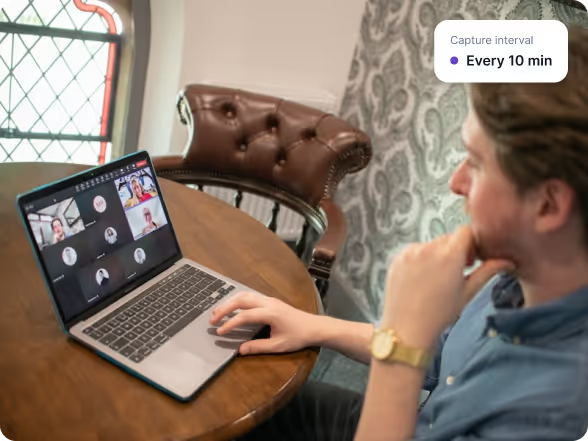
Set the capture cadence that fits the workflow. Five minutes for client-billed delivery teams, hourly for spot-check oversight, and any interval in between.
Blur by Default
Turn blur on at the organization level and override per individual when a role or client requires sharper proof. Same install, two policies.
Multi-Monitor Support
Captures every active monitor on the workstation, so the screen the work actually happens on is the screen that gets recorded.

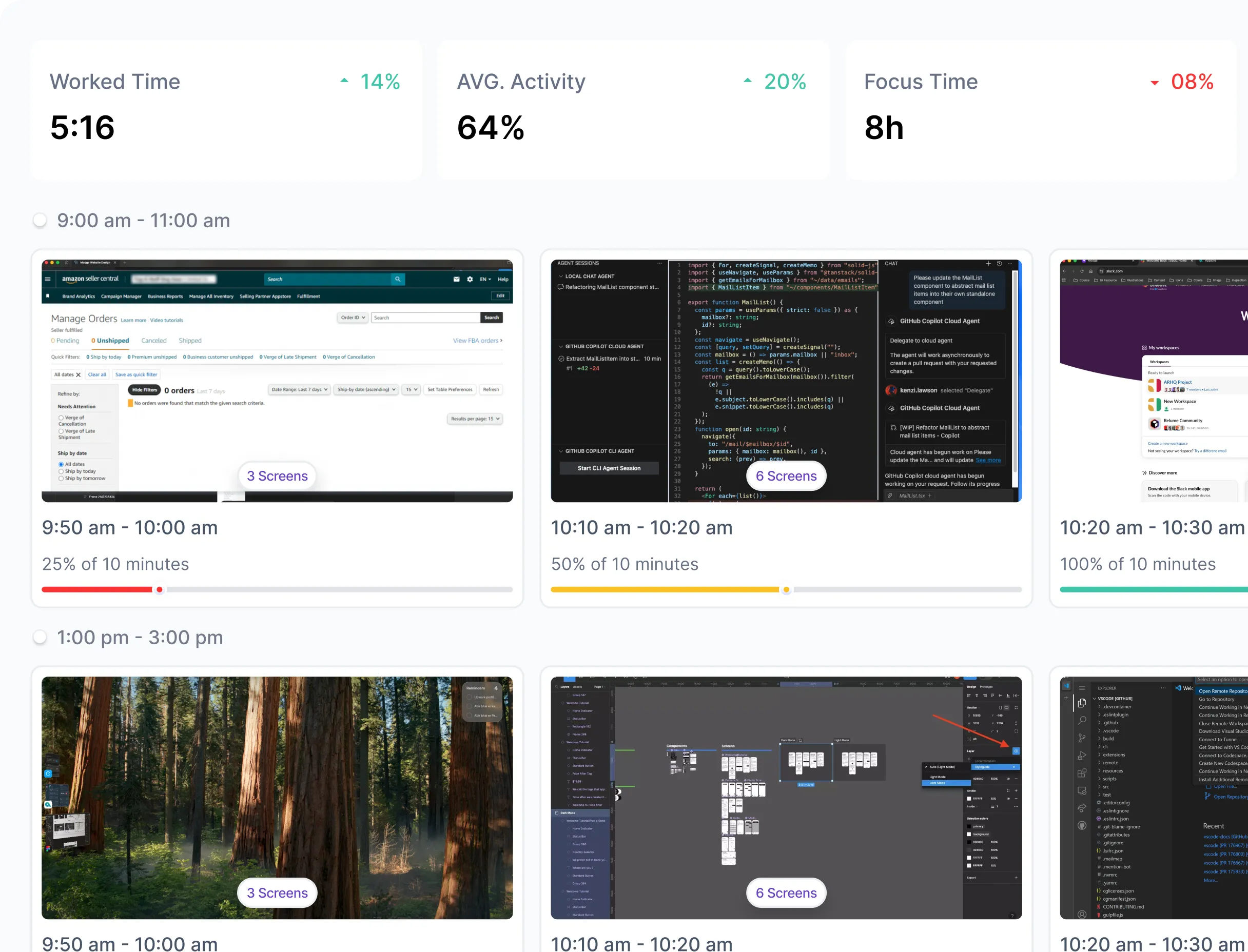
Screenshots in Modge sit alongside the timesheet, the project tag, and the activity log, so every image lands in context. Client services teams use them to back hourly invoices. Compliance-heavy industries use them to satisfy auditors. Operations teams use them to settle the occasional "where did the time go?" conversation in minutes instead of meetings. The cadence is configurable, the blur is configurable, and the policy can run differently per team or per person, so the same install fits the way each part of the business actually works.
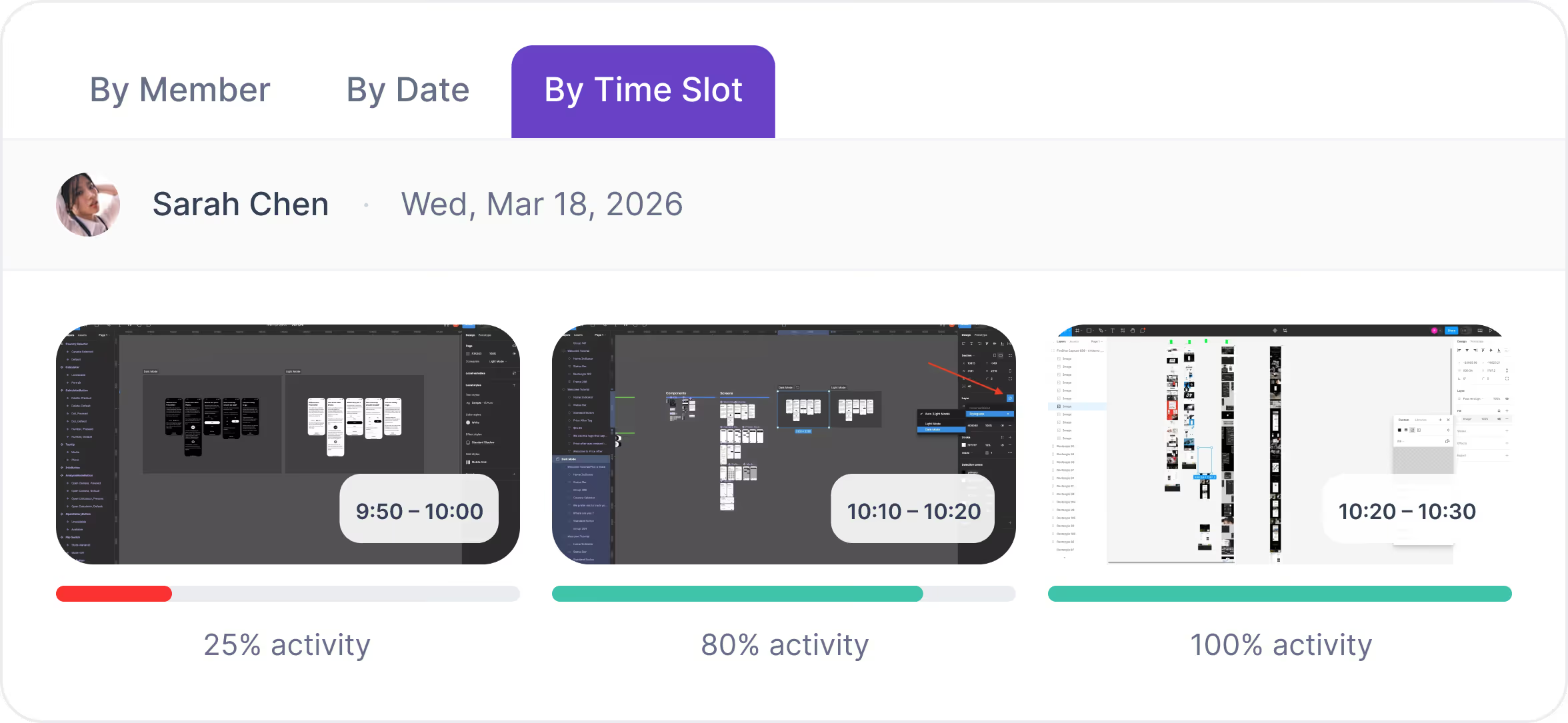
One viewer, three ways to browse: pick a team member, jump to a date, or scroll through time blocks. Each card shows thumbnails, time range, and activity level.


No one-size-fits-all. Control blur, frequency, and who's in scope so monitoring aligns with your culture and local rules.
Set blur on at the organization level and keep it that way for most of the team. Override per individual when a role or client requires sharper visual proof. Same install, two policies, no compromise.
Pick the cadence that fits the workflow. Five minutes for client-billed engineering teams. Hourly for spot-check oversight. Anything in between for everyone else. The interval is configurable per organization.
Transparency builds trust. We document exactly what's stored and how it's used.
Screenshots can be deleted by an admin at any time, individually or in bulk. Auto-retention policies can purge images on a schedule you control.
From distributed startups to global enterprises, Modge adapts to any workflow and delivers real-time proof of productivity.
Run different policies per delivery pod. Frequent capture with blur for offshore implementation, lighter cadence for in-house teams. One install covers both.
Visual proof of work for clients who require it as part of the engagement. The screenshot timeline ships alongside the invoice, so approvals come back faster.
Visual context behind every tracked hour, so managers stop asking "what got done today?" and start asking "what's next?"
Same dashboard as attendance, timesheets, and adherence. One source of truth, not four.
Auditable visual record of work sessions, paired with the timesheet and activity log auditors already need.
Real results from teams who use Modge AI to optimize productivity.
More focus time after the screenshot cadence is dialed in per team
Manager time saved per week on proof-of-work disputes
Faster client invoice approvals with verifiable proof attached
Fewer "where did the time go?" conversations after rollout
Modge is built with enterprise-grade security, complying with ISO 27001, HIPAA, PCI DSS, and SOC 2 standards. Your data stays private, encrypted, and protected—always.
PCI DSS Compliant
ISO 27001 Certified
HIPAA Certified
SOC 2 Type II Certified
Hand clients visual proof attached to hourly invoices, settle billing disputes faster, satisfy auditors with a paired visual and activity log, and review the day with the same record the team can see. Screenshots are tied to the matching project, person, and timestamp, so every image lands in context.
Yes. Enable screenshots per team or per individual. You can run a five-minute cadence with blur on for one client's delivery pod and a lighter cadence for another. Same install, multiple policies.
Blur is applied to the captured image, so the screenshot is verifiable as work without the document text being readable. Set blur on at the organization level by default and override per individual where a role or client needs sharper proof.
As often as you configure. Five minutes for client-billed delivery teams, hourly for spot-check oversight, anywhere in between. The interval is set at the organization level and applies wherever screenshots are enabled.
Yes. Admins can delete individual screenshots or entire date ranges from the gallery. Auto-retention policies can purge images on a schedule you control. Every deletion is captured in the audit log.
Free for 14 days. Full feature access. No credit card. Two-minute install on macOS or Windows.