Modge time reports show the hours your team actually worked, the billable amounts they generated, and every manual edit that touched the timesheet - with a full audit trail. Built for the finance, billing, and operations teams who need answers in one report, not three.
Free 14-day trial
No credit card
Setup in five minutes
.webp)
.webp)
.webp)
Twenty hours got logged. Three deliverables shipped. Nobody can connect the two. The report tells you where the hours actually went.
Forty hours? On what?" Without an itemized report tied to tracked sessions, the conversation is your word against theirs. With one, it's a five-minute look at the audit log.
Nobody flagged it. Nobody approved it. The first you hear about it is on the payroll line. Reports surface overtime as it accrues, not after.
Someone changed an entry. You don't know who, when, or why. The audit trail closes the loop on every hand-edited hour.
.webp)
A timeline of every shift today, with the assigned person on each row and live status overlaid. See who started on time, who hasn't clocked in yet, and who's running long, in one scroll.
.webp)
A timeline of every shift today, with the assigned person on each row and live status overlaid. See who started on time, who hasn't clocked in yet, and who's running long, in one scroll.
.webp)
Every manual edit logged with the editor's name, the timestamp, the field that changed, and the reason given. The audit log is immutable - exportable for compliance reviews.
.webp)
Modge captures every tracked session as it happens - start, end, project, billable status, and the apps used along the way. Sessions roll into the time reports automatically. Idle time is detected and excluded so the totals reflect actual work, not abandoned screens.
When someone needs to add or fix an entry by hand, the manual edit gets logged with who did it, when, what changed, and the reason. The reports show the same hours your finance team would calculate manually - except they don't have to calculate anything.
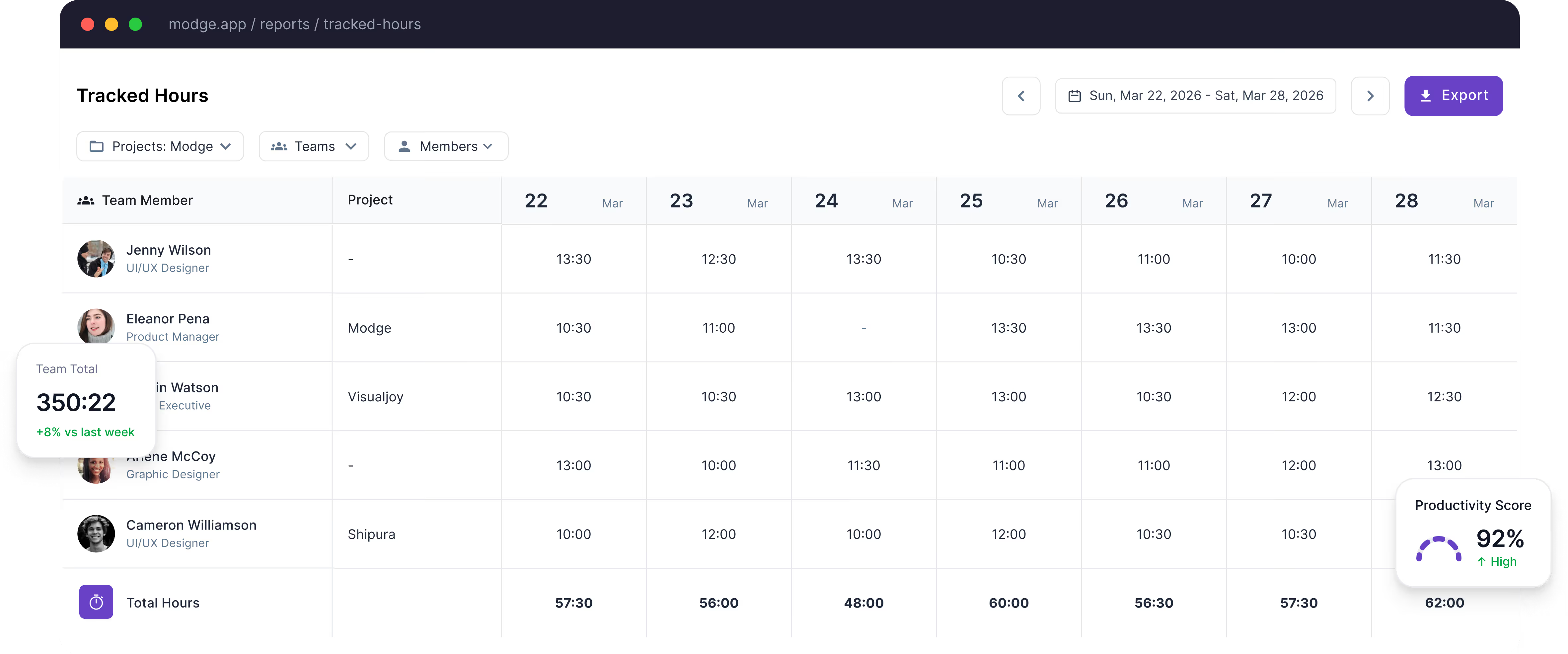
The Timesheets view shows every work session for each employee — start time, end time, project assigned, manually added time, and the dollar amount owed. Perfect for payroll, invoicing, and compliance.
.webp)
.webp)
The audit log records every hand-entered or hand-edited hour with four columns: who, when, what changed, and why. The log is immutable - even an admin can't rewrite history.
Auditors love this. Clients love this. Finance teams love this. The conversations that used to be "trust us" become "here's the spreadsheet."
.webp)
.webp)
.webp)
The desktop agent records every session - start, end, project, billable status. No timer to remember.
Sessions, shifts, and pay periods all normalize to the right timezone automatically. Reports can be viewed in the team's, the manager's, or the user's local zone.
Sessions that go quiet for longer than your configured threshold are flagged as idle and excluded from billable totals. (Live page has a stray "v" character before this body - fixed.)
Bill rates set per member, project, or client. Reports calculate billable amounts automatically - no formulas in spreadsheets.
Export any report to CSV or PDF. Filter by date range, person, team, project, or billable status before exporting.
Run weekly, semi-monthly, or monthly pay periods, plus a "no period" mode for teams that just need raw time data. Configured per organization, in the format finance and HR already work with.
Slice every report by team, project, billable flag, or category. Save filter presets for the reports you run weekly.
Overtime hours flagged automatically. Approved paid leave inserts into the matching pay period. Both surface in the report side by side.
One-click pay-period approval. Denied entries kick back with a comment. Pay periods lock once approved.
Finance time saved per week on hour reconciliation
Faster pay-period close cycle
Of manual edits now have a recorded reason vs ~12% on prior tools
Pay periods approved on schedule
Timesheets are the per-employee, per-pay-period grid the team submits and managers approve. Time reports are the analytical layer on top - total hours by project or person, billable amounts, audit trails, and exports for finance.
Each session is tagged with a project and a billable flag. Reports filter on either. Bill rates are set per member, per project, or per client, and the report calculates billable amounts automatically.
Yes. The audit log records every manual edit with the editor's name, the timestamp, the field that changed, and the reason given. The log is immutable.
Each user's timezone is stored on their profile. Sessions and pay periods normalize to the right zone automatically. Reports can be viewed in the team's, the manager's, or the user's local zone.
Yes. Every report exports to CSV or PDF in one click, with all filters preserved. Pay-period exports also include CSV variants for generic, Wise, and PayPal payroll.
Yes. Reports are role-scoped. Team leads see their teams. Finance sees the org-wide pay-period and billable rollups. Owners see everything. Permissions are configured at the role level.
Start your free 14-day trial. Track hours, generate timesheets, and audit every manual edit — automatically.